Placing a logo at the center of a QR code is one of the most effective and widely used branding techniques available, instantly signaling whose code someone is looking at before they even scan it. It's also one of the easiest ways to accidentally break a code if done without understanding the underlying constraints. This guide walks through exactly how much space you actually have to work with, the specific placement and sizing rules that keep a logo-embedded code reliable, and how to test the result before you commit to printing it anywhere.
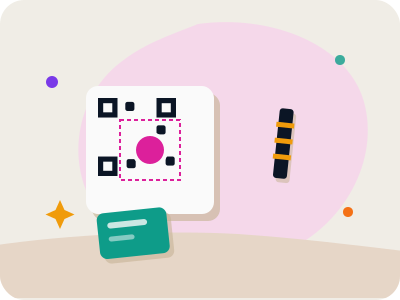
Why QR codes can tolerate a logo at all
QR codes are built with a feature called error correction, which deliberately encodes redundant data throughout the pattern so that a scanner can still reconstruct the full content even if part of the code is damaged, dirty, or obscured. This is the exact mechanism that makes adding a logo possible in the first place: the logo effectively "damages" the central portion of the code on purpose, and error correction recovers the missing information from redundancy elsewhere in the pattern.
The QR standard defines four levels of error correction, commonly labeled L (low, roughly 7% recovery), M (medium, roughly 15%), Q (quartile, roughly 25%), and H (high, roughly 30%). The higher the level, the more of the code's area can be damaged or obscured while still scanning correctly, but higher error correction also means more total modules are needed to hold the same underlying data, making the code slightly denser.
For any QR code that will carry a logo, choosing the higher end of this scale, typically Q or H, before adding the logo gives you meaningfully more headroom, since you're intentionally covering part of the code and want as much of that error-correction budget as possible dedicated to compensating for it.
How big can a logo actually be
Make your own custom QR code
Scan it — this code opens our free custom QR generator.
Create yours freeEven with the highest error correction level, there's a hard ceiling on how much of a QR code can be obscured before the remaining data simply isn't enough to reconstruct the original content, and going past that ceiling causes the scan to fail outright. The generally accepted safe maximum for a centered logo is around 25 to 30 percent of the code's total area, and staying closer to 20 percent provides a healthier margin of safety, especially for codes that will also face print imperfections or physical wear.
It's worth noting this percentage refers to area, not width, and area scales with the square of a shape's dimensions, so a logo that looks like it only takes up "a third of the width" across the middle of the code can easily cover well over 30 percent of the total area once you account for its height as well. When judging logo size, look at the actual overlapping area against the full code, not just a single dimension.
As a practical starting point, most generators that support logo placement default to a size within this safe range automatically, and it's generally best not to override that default upward just to make a logo more prominent, since the margin between "looks fine" and "stops scanning" is narrower than it might appear.
Where to place the logo
The dead center of the QR code is both the traditional and the technically safest place for a logo, and there's a good structural reason for this beyond aesthetics: the three large square "finder patterns" in three of the code's four corners are essential for the scanner to detect orientation and boundaries, and they cannot be obscured at all without breaking the scan entirely. The center of the code is the area farthest from all three finder patterns, making it the safest region to cover.
Never place a logo, or any other obstruction, over or even close to one of the three corner finder patterns, since even partial obstruction there tends to cause immediate and severe scan failures regardless of error correction level. Center placement, by contrast, benefits from the error correction redundancy that's spread more evenly across the middle of the pattern.
If a generator gives you the option to nudge a logo off-center for design reasons, resist that impulse unless you've tested the specific result thoroughly; center placement remains the well-tested, reliable default for good reason.
Give the logo breathing room
A logo that touches or blends directly into the surrounding QR modules is harder for a scanner to distinguish from the code's own data pattern, effectively making the obstructed area larger and messier than the logo's actual footprint. Adding a small buffer of clear space, ideally combined with a subtle white background or outline behind the logo, gives the scanner a cleaner, more defined boundary between "logo" and "code data."
This buffer doesn't need to be large, just enough to create clear visual separation, roughly a few pixels' width proportional to the module size, so the logo reads as a distinct, self-contained element rather than a jagged intrusion into the surrounding pattern. Many generators handle this automatically by adding a small white padding behind any inserted logo.
Logos with irregular or transparent edges are riskier than simple shapes with a solid, contained outline, since a transparent background can let underlying code modules show through at the logo's edges in unpredictable ways depending on how the export handles transparency, muddying the boundary the scanner needs to interpret cleanly.
Choose simple logos over detailed ones
Beyond size and placement, the logo's own visual complexity matters for practical legibility, even separate from the scanning-technical concerns above. A detailed, multi-color logo with fine internal lines or small text tends to become an illegible blur at the small print size most QR codes end up at, defeating the purpose of adding it for brand recognition in the first place.
A simple, high-contrast icon or a short, bold wordmark holds up far better at small sizes than an intricate full logo lockup, and it also tends to interact more predictably with the error correction recovery process, since simpler shapes create a cleaner, more uniform obstruction for the scanner to work around.
If your brand identity relies on a complex logo mark, consider using a simplified icon-only version, or even just an initial or monogram, specifically for QR code placement, reserving the full detailed logo for contexts where it will actually be legible.
Text logos: a lower-risk branding option
For businesses that want clear branding without introducing the obstruction risks of a full image logo, a text-based logo overlay is a genuinely useful middle ground, since short, clean text at a reasonable size covers a smaller, more predictable area than most image logos while still clearly identifying the brand behind the code.
This is the approach supported on the free tier of qrcodeharbor.com, which allows adding a text logo directly in the browser during code creation. It's a practical option for businesses that want a branded look without needing the more advanced image-logo and gradient styling available on the Pro tier.
Text logos work especially well for short brand names or initials, and because they're rendered as clean, simple text rather than a potentially complex image, they tend to produce a more predictable and testable result across different sizes and print conditions.
Test every logo placement before printing at scale
No set of general rules substitutes for actually scanning the final code with a logo applied, since the interaction between logo size, placement, error correction level, and the underlying data density is specific to each individual code. Generate the final version with the logo, display or print it at the intended real-world size, and test-scan with several different phones before committing to any print run.
Pay particular attention to testing at the smallest size the code will realistically be displayed or printed at, since a logo that scans fine on a large poster-sized test print might push past the safe threshold once scaled down to a business-card-sized version of the same design. If you need the same branded design at multiple sizes, test each size independently rather than assuming a working large version guarantees a working small one.
If a logo-embedded code fails to scan reliably in testing, the fix, in order of effectiveness, is to shrink the logo slightly, increase the error correction level if the generator allows manual control, simplify the logo to a plainer shape, or increase the overall print size of the code to give the whole pattern more room to resolve clearly.
When to skip the logo entirely
For QR codes that will be printed very small, such as inside a tight corner of a business card or a small product label, or for codes encoding data-heavy content like a full vCard or a long URL that already produces a dense pattern, adding a logo may push the combined obstruction and density past a reliable threshold even with careful sizing.
In these specific cases, it's often better to skip the embedded logo and instead place a small brand mark or wordmark directly beside the code rather than inside it, achieving a similar visual branding effect without touching the code's actual data area at all.
This is a reasonable and common trade-off rather than a compromise on branding quality; plenty of effective, professionally designed QR placements pair a clean, unmodified code with adjacent branding elements, achieving strong brand recognition without introducing any scanning risk whatsoever.
Frequently asked questions
How much of a QR code can a logo cover before it stops scanning?
The generally accepted safe maximum is around 25 to 30 percent of the code's total area, with 20 percent providing a healthier safety margin, especially for codes that will face print imperfections or handling wear. Remember this refers to total area, not just width, since area scales with both dimensions of the logo.
Does a logo need a white background to scan properly?
A small clear buffer or subtle white background behind the logo helps the scanner distinguish it as a distinct element rather than a jagged intrusion into the surrounding code pattern. This buffer doesn't need to be large, just enough to create a clean visual boundary between the logo and the code's data modules.
Should error correction be set higher when adding a logo?
Yes, using a higher error correction level, typically Q or H rather than L or M, before adding a logo gives significantly more recovery headroom to compensate for the area the logo obscures. This is standard practice for any QR code that will carry a logo or other central graphic.
Is a text logo safer than an image logo for QR codes?
Generally yes, since a short, clean text overlay tends to cover a smaller, more predictable area than most image logos while still clearly identifying the brand. It's a practical lower-risk option for businesses that want clear branding without the added obstruction risk of a detailed image logo.