QR codes and traditional barcodes are often mentioned in the same breath, but they're built to solve genuinely different problems, and picking the wrong one for a given use case can create real headaches down the line. A retail product needing simple point-of-sale scanning has very different requirements than a marketing flyer trying to drive someone to a website, and understanding the practical differences between these two code types makes it much easier to choose correctly the first time. This guide compares them directly across the factors that actually matter for a real decision.
The fundamental structural difference
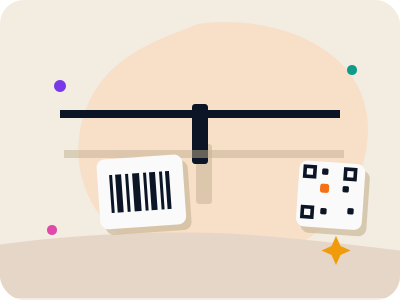
A traditional barcode, technically called a one-dimensional or 1D barcode, encodes data along a single horizontal axis using a pattern of parallel lines of varying widths and spacing. Because the data is arranged in only one dimension, the amount of information a 1D barcode can hold is inherently limited, typically to around 20 to 25 characters, most commonly used to store a numeric product identifier like a UPC.
A QR code is a two-dimensional, or 2D, code that arranges data in a square grid pattern, using both height and width to store information. This two-dimensional structure allows a QR code to hold dramatically more data in a similarly compact space, up to several thousand alphanumeric characters, enough to encode an entire URL, a block of text, contact details, or Wi-Fi credentials, none of which a traditional barcode could practically handle.
This structural difference is the root cause of nearly every practical distinction between the two: everything from data capacity, to scanning equipment requirements, to the range of realistic use cases traces back to this single fact about how each code arranges its data.
Data capacity: what each can actually store
Make your own custom QR code
Scan it — this code opens our free custom QR generator.
Create yours freeA standard 1D barcode is essentially a lookup key, not a data container; it stores a short numeric or alphanumeric identifier that a separate database, like a retail point-of-sale system, then looks up to retrieve the actual product name, price, and other details. The barcode itself carries almost no information beyond that identifier.
A QR code can function the same way, as a simple lookup identifier, but it can also carry the actual information directly within the code itself, with no external database required. A QR code can encode a complete URL, a full vCard's worth of contact information, a Wi-Fi network's name and password, or several paragraphs of plain text, all readable directly from the code without any lookup step.
This distinction matters enormously for use cases outside of retail inventory: anything that needs to convey information directly, rather than simply identify an item in an external system, is generally a job for a QR code rather than a 1D barcode, simply because the traditional barcode format doesn't have the capacity to hold that information.
Scanning equipment and reliability
One area where traditional barcodes retain a genuine advantage is compatibility with dedicated, purpose-built scanning hardware, such as the laser or CCD scanners used at retail checkout counters. These devices are specifically optimized for reading 1D barcodes at high speed and have been refined for that exact task since the 1970s, making them extremely fast and reliable in high-volume retail environments.
QR codes, being two-dimensional, require an imaging-based scanner (essentially a camera, whether a dedicated handheld device or a smartphone) rather than the simpler laser-line scanners used for 1D barcodes. Every modern smartphone now includes this imaging capability natively in its camera app, which is what has made QR codes so broadly accessible without requiring any specialized hardware for the average consumer.
For an established retail environment already invested in laser barcode scanning infrastructure at checkout, switching to QR codes for inventory purposes would require new scanning hardware, whereas for a general public-facing use case, like a marketing flyer or a menu, the average person's own smartphone is already fully equipped to scan a QR code with no additional hardware at all.
When a traditional barcode is still the right choice
Retail point-of-sale and inventory management remain the strongest use case for traditional 1D barcodes, particularly in environments with existing laser-scanner infrastructure and standardized identifier systems like UPC or EAN codes that integrate with established retail databases worldwide. The simplicity and speed of 1D barcode scanning at checkout, combined with decades of infrastructure investment across the retail industry, make it hard to justify switching away from barcodes for this specific purpose.
Barcodes are also often required, rather than merely preferred, for certain retail and logistics contexts, since standardized barcode formats like UPC are tied to product registration systems that many retailers and distributors require for a product to be sold through their channels at all. In these cases, the choice isn't really open, it's dictated by the retail ecosystem's existing standards.
For simple sequential numbering or asset tracking within a closed internal system, where a short numeric identifier is all that's needed and existing barcode scanning equipment is already in place, sticking with a traditional barcode is often the more practical and cost-effective choice, since there's no meaningful benefit to switching formats.
When a QR code is the better choice
Any use case aimed at reaching a general consumer audience with their own smartphones, rather than a dedicated scanning device, strongly favors QR codes, since the near-universal native camera scanning capability on modern phones means no additional app or hardware is required for people to interact with the code. This covers the enormous range of consumer-facing marketing, information-sharing, and convenience use cases QR codes have become known for.
Anything requiring more data than a simple numeric identifier, such as a full URL, contact card, Wi-Fi credentials, or a block of text, is a natural fit for QR codes given their much larger data capacity, and is simply not achievable with a traditional 1D barcode regardless of how it's used.
Use cases involving direct action, like opening a website, adding a contact, joining a Wi-Fi network, or displaying a payment link, all fit QR codes well because the code can carry that actionable content directly, whereas a traditional barcode would require an external lookup system to accomplish the same result, adding complexity that generally isn't worth it outside of established retail infrastructure.
Cost and accessibility differences
Generating a QR code requires no specialized software or paid service; free browser-based tools can produce an unlimited number of static QR codes at no cost, with no watermark or expiration, and permit commercial use, making QR codes an extremely low-barrier option for individuals and small businesses that don't have existing barcode infrastructure or budget for dedicated scanning hardware.
Traditional 1D barcodes, particularly standardized formats like UPC codes intended for retail sale, typically involve a registration cost and process through an organization like GS1 to obtain a unique, globally recognized product identifier, since the whole point of these standardized formats is ensuring no two products anywhere in the world share the same code.
For a small business or individual without an existing retail distribution relationship, this cost and complexity difference alone often tips the decision toward QR codes for any use case where either format would technically work, such as internal inventory tracking for a small operation that doesn't need globally unique retail identifiers.
Can the two work together?
In practice, many products and packaging designs use both formats side by side, each serving its own distinct purpose. A product package might carry a traditional UPC barcode specifically for retail point-of-sale scanning at checkout, while also carrying a separate QR code linking to a product page with ingredient details, usage instructions, or a warranty registration link, each format doing the job it's best suited for.
This dual approach makes sense precisely because the two formats aren't really competing for the same use case in most business contexts; the barcode handles the retail transaction and inventory tracking side, while the QR code handles the consumer-facing information and engagement side, and combining them costs very little extra given how inexpensive generating a QR code has become.
For a business already using barcodes for retail purposes and considering adding QR codes for marketing, packaging information, or customer engagement, there's rarely a need to choose one over the other; the more common and effective approach is simply adding the QR code alongside the existing barcode rather than replacing it.
Making the decision for your specific project
A useful shortcut for deciding between the two: if the code needs to work with existing retail point-of-sale scanning infrastructure, or the product needs a standardized identifier for retail distribution, use a traditional barcode. If the code is aimed at consumers scanning with their own smartphones, needs to carry more than a short numeric identifier, or needs to trigger a direct action like opening a link or joining a Wi-Fi network, use a QR code.
For the large and growing number of use cases outside traditional retail, marketing materials, restaurant menus, event tickets, product information pages, contact sharing, and Wi-Fi access, QR codes are almost always the more practical and capable choice given their greater data capacity and near-universal smartphone scanning support.
Whichever format fits your specific need, both are mature, well-established, and freely usable technologies with no licensing fees standing in the way, so the decision genuinely comes down to matching the format's actual capabilities to the practical requirements of your use case rather than any cost or accessibility barrier.
Frequently asked questions
Can a QR code store more information than a barcode?
Yes, significantly more. A traditional 1D barcode typically holds around 20 to 25 characters, usually a numeric product identifier, while a QR code can hold up to several thousand alphanumeric characters, enough to encode a full URL, contact card, or block of text directly within the code.
Do I need special equipment to scan a QR code?
No, modern smartphones scan QR codes natively using their built-in camera app, with no separate scanner or app download required. Traditional 1D barcodes are more commonly read with dedicated laser or CCD scanners, particularly in retail checkout environments, though smartphone cameras can read many 1D barcodes as well.
Should a retail product use a barcode or a QR code?
For retail point-of-sale and inventory tracking, a standardized barcode like a UPC remains the practical choice due to existing scanning infrastructure and retail registration requirements. Many products also add a QR code alongside the barcode to link to additional information like ingredients, instructions, or a product page for consumers.
Is it more expensive to use QR codes than barcodes?
Generally no. Free browser-based tools can generate unlimited QR codes at no cost with no watermark, while standardized retail barcode formats like UPC typically require a registration fee through an organization like GS1 to obtain a globally unique identifier for retail distribution purposes.