QR codes have become closely associated with contactless payments, from restaurant tables to farmers market stalls to street musicians' tip jars. It's worth understanding exactly what's happening technically: a QR code created with a general-purpose generator doesn't process a payment itself, it simply opens a link, and it's that linked destination, whether a payment page, a peer-to-peer app profile, or an invoicing tool, that actually handles the transaction. This guide explains how to set up QR code payment links correctly, where they work well, and what to watch out for.
What a QR code actually does in a payment flow
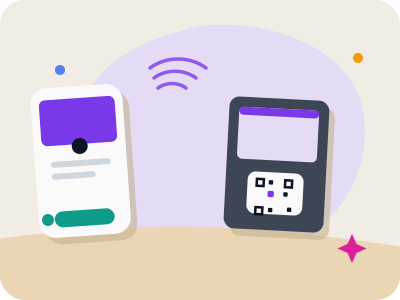
A QR code generated for payments is, at its core, a URL QR code that opens a specific payment page, such as a PayPal.me link, a Venmo or Cash App profile, a Stripe payment link, or an invoicing tool's checkout page. The QR code itself contains no financial information and doesn't move any money; it's simply a fast way to get someone from a physical location to the right web page on their phone.
This is different from proprietary in-app payment QR systems used by some banks and payment apps, which rely on their own specific encoding standards recognized only by that app's built-in scanner. A general QR code generator creates a standard URL code that any phone camera can read and open in a browser, which then leads to whatever payment page you've linked.
Understanding this distinction matters because it means the security and reliability of a QR code payment setup depends almost entirely on the destination page you choose, not on the QR code itself. Choose a payment platform you trust and are already using, and the QR code becomes a convenient front door to it.
Common use cases for QR code payment links
Make your own custom QR code
Scan it — this code opens our free custom QR generator.
Create yours freeSmall businesses, market vendors, and freelancers often use a QR code linking to a payment link generated by a service like PayPal, Venmo, Stripe, or Square, giving customers a fast way to pay without needing to type a handle or account name manually. This works especially well at markets, pop-ups, and events where a card reader isn't available or convenient.
Restaurants and bars sometimes place a QR code at the table linking to a bill-splitting or online payment page tied to the guest's check, letting groups pay their share individually without waiting for a single server to run several separate cards. Musicians, artists, and service workers use a similar approach for tips, linking a small printed code to their payment app profile so people can tip without carrying cash.
Nonprofits and community fundraisers, as covered in other guides, often use the same underlying approach: a QR code linking to a donation page rather than a payment-app profile, which functions the same way technically even though the purpose is different.
Setting up a payment link QR code
Start by creating your payment link directly through the platform you already use, whether that's a PayPal.me page, a Venmo profile link, a Stripe payment page, or a Square checkout link, since the QR code generator's job is only to encode that existing link, not to create the payment page itself. Copy the exact URL your payment provider gives you and paste it into a URL QR code generator.
Double-check the link works correctly by opening it yourself on a separate device before generating the code, confirming it leads to the right account and, where applicable, the correct pre-filled amount if your platform supports that. A small typo in a payment link URL can send customers to the wrong page or a broken one, which is far more damaging in a payment context than in a general marketing link.
Once confirmed, generate the QR code and test it by scanning with your own phone's camera app to make sure it opens the correct page before printing or displaying it publicly.
Security considerations before you print
Because a QR code's safety depends entirely on the destination link, always generate your own payment QR codes from a link you created and verified yourself, rather than trusting a QR code from an unknown source at a market or public space. A malicious actor could place a sticker over a legitimate business's payment code with one linking to their own account, a scam that has been reported at parking meters and market stalls in several cities.
As a business owner or vendor accepting payments this way, periodically check your printed or displayed QR codes to make sure nothing has been tampered with or covered by an unauthorized sticker. This is a quick visual check worth doing regularly if your code is displayed in a public, unattended area.
As a customer, before completing any payment from a scanned QR code, take a moment to confirm the destination page matches the business or person you expect, particularly the account name or handle shown on the payment platform's confirmation screen, before entering any payment details.
Handling amounts and pre-filled details
Some payment platforms allow you to include a specific amount directly in the payment link, which is useful for fixed-price situations like a set entry fee or a specific invoice, since the customer just confirms and pays rather than typing in a number themselves. Check your payment provider's documentation for how to structure a link with a pre-filled amount before generating your QR code.
For variable amounts, such as tips or donations of any size, a general link without a fixed amount lets the payer choose what to send, which is the more common setup for tip jars and open-ended fundraising appeals. Make this clear with signage near the code, such as 'Scan to tip any amount' versus 'Scan to pay your $25 entry fee.'
If you're printing multiple codes for different fixed amounts, such as different ticket tiers at an event, label each one clearly and consider using visibly different designs or colors to reduce the chance of a customer scanning the wrong one by mistake.
Where to display payment QR codes
Countertop stands, table tents, and small laminated cards work well for markets, pop-ups, and restaurants, kept at a size that's easy to scan from a normal standing or seated distance without needing to lean in unnaturally close. Busking and street performance setups often use a small waterproof sign or case insert to protect the printed code from weather.
Avoid placing payment QR codes somewhere they could easily be tampered with or covered by an unauthorized sticker, such as an unattended public space with no oversight; keep them within view of staff wherever practical. If you must display a code in an unattended location, check on it periodically throughout the day.
For events with multiple payment points, such as different food stalls or activity stations, make sure each one has its own clearly labeled code so customers aren't confused about which one applies to which purchase.
Alternatives and what QR codes aren't
It's worth being clear that a general-purpose QR code generator does not create an EMVCo-style merchant payment QR (the kind used in some countries' national instant payment systems) or a bank-specific in-app payment code; those require integration directly with a bank or payment network's own systems. What a standard QR code generator does well is create a link-based shortcut to a payment page you've already set up through a provider like PayPal, Venmo, Stripe, or Square.
For businesses that need formal point-of-sale integration, a dedicated payment terminal or your existing POS system's built-in QR payment feature, if it has one, will typically offer more robust handling of receipts, refunds, and reconciliation than a simple link-based code. Use a general QR code generator for lightweight, low-volume, or informal payment collection rather than as a full POS replacement.
For most small vendors, freelancers, and informal fundraising situations, though, a QR code linking to an established payment platform is a fast, low-cost way to accept contactless payments without any special hardware.
Frequently asked questions
Does a QR code process the payment itself?
No. A standard QR code simply opens a link to whatever payment page you've connected it to, such as PayPal, Venmo, or Stripe; the actual payment processing happens on that platform, not within the QR code.
Is it safe to scan a payment QR code displayed in public?
Confirm the destination page matches the business or person you expect before entering any payment details, and be cautious of codes in unattended public areas, since a sticker with a fraudulent code could be placed over a legitimate one.
Can I put a specific dollar amount into a payment QR code?
This depends on your payment platform; many services like PayPal and Stripe allow you to generate a link with a pre-filled amount, which you can then encode into a QR code the same way as any other link.
Can I create a bank-standard merchant payment QR with a general QR code generator?
No. A general QR code generator creates standard URL codes that open in a browser, not the specialized merchant payment formats used by some national instant payment networks. It's best suited for linking to payment pages from providers like PayPal, Venmo, Stripe, or Square.