A QR code that looks perfectly clear on your computer screen can turn into an unreadable smudge once printed too small, and this is one of the most common and entirely avoidable reasons printed marketing materials fail to deliver results. Sizing a QR code correctly isn't guesswork, it comes down to a simple relationship between how far away someone will be standing when they scan it and how much data the code actually encodes. This guide walks through practical sizing recommendations for the most common print scenarios, from business cards to billboards, along with the core rule you can apply to any situation not explicitly covered here.
The core rule: distance determines size
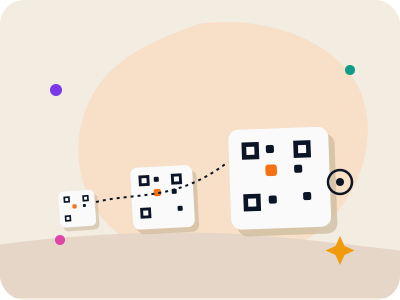
The single most important factor in sizing a QR code correctly is the distance from which people will realistically be scanning it, not how the code looks on your screen or in a design mockup. A widely used rule of thumb is that the code's width should be at least one-tenth of the expected scanning distance, meaning a code meant to be scanned from 10 feet away should be at least 1 foot (12 inches) wide, and one meant to be scanned from arm's length, roughly 1 to 1.5 feet, should be at least 1.2 to 1.8 inches wide.
This rule exists because a phone camera's autofocus and the human eye's ability to resolve fine detail both degrade with distance, and a QR code with a lot of encoded data (meaning smaller individual modules packed into the grid) needs proportionally more physical size to remain resolvable at any given distance compared to a code with very little data. A short URL encoded at a high error correction level will generally scan more reliably at smaller sizes than a long URL or full contact card encoded at the same physical dimensions.
It's worth noting this distance-to-size rule is a practical minimum, not a hard cutoff, real-world factors like lighting conditions, the printing quality, and the scanning phone's camera capability all introduce some margin of error, so when in doubt, sizing slightly larger than the strict minimum is always the safer choice, especially for materials that are expensive or slow to reprint.
Business cards and small print items
Make your own custom QR code
Scan it — this code opens our free custom QR generator.
Create yours freeFor business cards, where the scanning distance is essentially arm's length, roughly 8 to 12 inches, a QR code between 0.8 and 1.2 inches square is generally sufficient, provided the encoded data (typically a short URL or vCard) isn't excessively long. Since business cards are small and printed at high resolution by professional print services, this size range comfortably balances legibility with not overwhelming the card's limited layout space.
Product labels and small packaging inserts follow similar logic, if a customer is expected to scan a code while holding the product in their hand, a size of roughly 0.75 to 1 inch square is usually workable, though it's worth being conservative with encoded data length here since minimal data allows a smaller code to remain reliably scannable at this size. If your generator supports it, choosing a slightly higher error correction level on small codes also adds a helpful margin of safety against tiny printing imperfections.
Stickers and bookmarks intended for close-range, deliberate scanning (as opposed to being glanced at from across a room) can generally follow the same roughly 1-inch guideline, though always test-print and scan the actual final material, since sticker adhesive backing, glossy laminate finishes, or textured cardstock can all subtly affect how well a phone camera resolves the pattern compared to plain paper.
Flyers, brochures, and standard paper handouts
For a standard flyer or brochure that someone will hold and look at from roughly 1 to 2 feet away, a QR code between 1.2 and 2 inches square typically provides comfortable scanning reliability without dominating the page layout. Flyers are commonly handled in less-than-ideal conditions, outdoors, in dim event lighting, or after being folded and carried in a pocket, so erring toward the larger end of this range is a reasonable safety margin.
Multi-page brochures or menus where the code appears alongside a lot of other printed content should still give the code its own clear visual space, at least the same width of blank margin around the code as the code's own width, since crowding other text or images too close to the code can interfere with a scanning camera's ability to clearly detect the finder pattern corners.
If your flyer will be photocopied or reprinted from a lower-resolution source file rather than the original high-resolution export, size the original code somewhat larger than the strict minimum, since each generational copy tends to lose some sharpness, and a code that was borderline-small in the original file can become unscannable after a photocopy or two.
Posters, banners, and larger displays
For posters designed to be viewed and scanned from roughly 3 to 6 feet away, such as a poster on a wall or a table-top display stand, a QR code between 3 and 6 inches square generally provides reliable scanning across that range. Applying the one-tenth distance rule directly, a poster where you expect people to scan from up to 5 feet away should have a code at least 6 inches wide to comfortably account for that maximum realistic distance.
Larger banners meant to be seen and scanned from significantly farther away, say 10 to 20 feet, need to scale up accordingly, roughly 1 to 2 feet of code width at the 10 to 20 foot range following the same proportional rule. At this scale, it's especially important to request an actual full-size printed proof from your print vendor before finalizing a large run, since scaling errors and unexpected image compression are more common and more costly to fix after the fact with large-format printing.
Trade show and event backdrops that will be photographed as often as scanned in person deserve extra size margin as well, since people often scan a photo of a backdrop taken from their own phone at a screenshot resolution, rather than scanning the physical banner directly, and a code that's borderline-sized in person can become genuinely too small once compressed through a photo-of-a-photo scanning attempt.
Vehicle wraps, billboards, and extreme-distance placements
For QR codes placed on vehicles, storefront windows, or large outdoor signage meant to be scanned from a car or a sidewalk 15 to 30 feet away, the same one-tenth rule scales up to roughly 1.5 to 3 feet of code width. At this scale, it's worth remembering that people are unlikely to walk up close to scan a billboard or building-mounted sign, so the code needs to be genuinely readable from wherever people are realistically standing or driving, not just theoretically decodable up close.
It's worth being realistic about whether a QR code even makes sense at true billboard distance, highway billboards viewed briefly from a moving vehicle are generally a poor QR code use case regardless of size, since drivers can't safely stop to scan and a passing glance is rarely enough time even with a well-sized code. QR codes work best in placements where the viewer can pause, even briefly, rather than passing by at speed.
How added logos and error correction affect minimum size
Adding a center logo effectively removes usable scanning area from the code, meaning a code with a logo generally needs to be sized somewhat larger than an equivalent code without one to maintain the same real-world scan reliability at a given distance. If you're using a logo, it's worth adding roughly 10 to 20% to whatever size you'd otherwise choose, and definitely test-scanning the final printed result before committing to a large print run.
Similarly, codes using a higher error correction level (which is often recommended alongside a logo) require more modules to encode the same data, resulting in a naturally denser, more detailed pattern that benefits from slightly larger sizing to keep individual modules clearly resolvable, especially at smaller overall print sizes like business cards or product labels.
Frequently asked questions
What's the absolute minimum size a QR code can be printed at?
There's no single universal minimum since it depends on the amount of encoded data, error correction level, and printing resolution, but as a practical floor, avoid printing any QR code smaller than about 0.75 inches square for close-range scanning, and always test-scan the actual printed result rather than assuming it will work.
Does a QR code need to be a perfect square, or can it be rectangular?
A QR code's actual data pattern must remain a perfect square to scan correctly, since the finder patterns and module grid are designed around equal width and height. You can add extra rectangular white space or design elements around a square code, but the code itself cannot be stretched into a non-square shape.
How do I know if my QR code is too small before printing a large batch?
Print a single test copy at the actual intended size on the actual intended material, then scan it with a few different phones under lighting conditions similar to where it will actually be used, rather than trusting how it looks zoomed in on a screen or a small preview print.
Does the amount of data encoded in a QR code affect how big it needs to be printed?
Yes, more encoded data (like a long URL versus a short one) requires more modules in the grid, resulting in a denser pattern that needs to be printed larger to keep individual modules clearly distinguishable to a scanning camera at any given distance.